

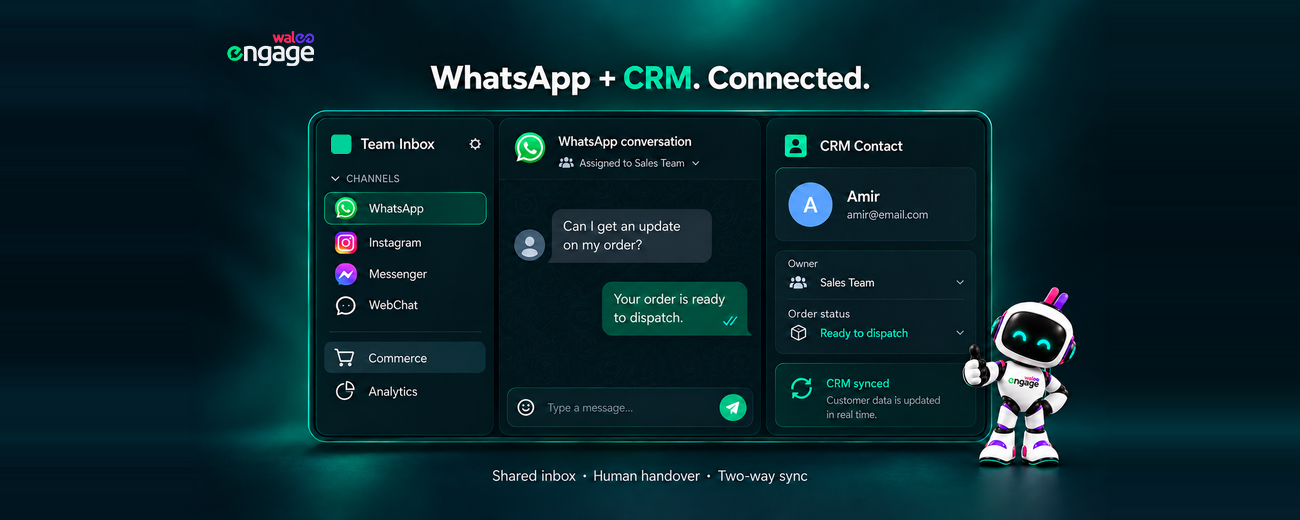
Most businesses don’t look for a WhatsApp CRM because they want new software. They look for one because WhatsApp has become their busiest sales and support channel, and it’s still running on one phone, a few personal numbers and a spreadsheet nobody trusts.
In my experience, connecting WhatsApp to a CRM is the easy part. The hard part is deciding what happens after the connection: who owns the lead, which fields update, when a bot hands over to a person, and who pays for which message. This guide explains how WhatsApp CRM integrations work, where they fail, and what to check before choosing a provider.
Key Behavioral Takeaway
A good WhatsApp CRM is not a logo list. It is clean data, account ownership, true two-way sync, automation that knows when to step aside, and a cost model that works under Meta’s 2026 pricing.
What Is a WhatsApp CRM?
A WhatsApp CRM is software that connects WhatsApp conversations to customer records, so teams can manage leads, sales and support from one shared inbox instead of individual phones. It runs on the WhatsApp Business Platform (API) and adds contact history, chat assignment, automation, campaigns and reporting.
There are two main kinds of WhatsApp CRM setup:
- WhatsApp-first engagement platforms, such as Walee Engage. These provide the shared team inbox, chatbots, broadcast campaigns and lead management, and connect outward to your main CRM.
- Traditional CRMs with a WhatsApp channel, such as HubSpot, Salesforce or Zoho. Here WhatsApp is one channel inside a larger sales or service system.
The right choice depends on where your team actually works all day.
WhatsApp Business App vs. WhatsApp Business API
The WhatsApp Business App is free and built for one person managing chats on a phone. The WhatsApp Business API supports multiple agents on one number, chatbots, CRM integration, approved message templates and messaging at scale. Every serious WhatsApp CRM runs on the API. Businesses access it either directly through Meta’s Cloud API or through a platform like Walee Engage.
How Does WhatsApp CRM Integration Work?
A WhatsApp CRM integration connects WhatsApp to your CRM through APIs and webhooks. Incoming messages create or update contacts and start workflows. CRM events, such as a new order or a deal stage change, trigger approved WhatsApp messages back to the customer.
A typical flow in Walee Engage looks like this:
- A customer messages you from a Click-to-WhatsApp ad, website button or QR code.
- The platform matches the phone number to an existing contact or creates a new one.
- A chatbot greets the customer, asks qualification questions or answers FAQs.
- The chat is assigned to the right agent in the shared inbox.
- Your CRM is updated with the contact, the conversation and any new deal or ticket.
- CRM events trigger follow-ups, such as order updates or payment reminders.
- Reports connect conversations to response times, conversions and resolutions.
Steps 5 and 6 are where providers differ most. Some only push contacts one way, while others sync fields, owners and activity in both directions.
Which CRMs Work With WhatsApp?
Most major CRMs, including HubSpot, Salesforce, Zoho, Pipedrive and Odoo, can connect with WhatsApp. They do this through a native channel, a marketplace app, or a WhatsApp platform that syncs via API. The differences are in sync depth, plan requirements and two-way automation.
HubSpot
Check whether WhatsApp chats appear on the contact timeline, and whether HubSpot workflows can send WhatsApp templates.
Zoho CRM
Zoho is popular with SMEs in Pakistan and the Middle East. Test how data maps to the Leads, Contacts and Deals modules before going live.
Salesforce
Integrations are powerful but usually need admin time. Confirm which objects are updated: Lead, Contact, Case or Opportunity.
Pipedrive
A good fit for sales-led teams. Check that WhatsApp messages log as deal activities.
Odoo
Ideal if you already run inventory or invoicing in Odoo, because order and delivery updates can become automatic WhatsApp messages.
Where WhatsApp CRM Integrations Commonly Fail
Most WhatsApp CRM failures come from workflow design and Meta policy, not broken technology. An integration can technically work and still create a poor workflow for your sales team. These are the failure points I check first.
Duplicate contacts
The same customer can appear as +92300…, 0300… and 92300…, each as a separate record. Standardise every number to one format (E.164, such as +923001234567) before launch.
Poor data mapping
Chatbot answers saved in a notes field can’t be segmented or reported on. Map every qualification question to a proper CRM field.
Over-automation
A bot that won’t let customers reach a person frustrates buyers. Automate the first step, which is qualification and routing, and always offer a clear path to a human agent.
The 24-hour customer service window
When a customer messages you, a 24-hour window opens for free-form replies. After it closes, you can only message them with a Meta-approved template. From 1 October 2026, Meta also charges for service messages after 1,000 free per business phone number each month. It will also charge for utility templates sent inside the window.
Template problems
Templates can be rejected, or recategorised as marketing, which is the costliest category. Keep a small, clearly named template library linked to specific CRM triggers.
Quality ratings
Meta tracks blocks and reports. Messaging people who never opted in can lower your quality rating, limit your sending, or get the number restricted. Store opt-in status as a CRM field.
WhatsApp CRM Buying Checklist
Before choosing a WhatsApp CRM, get clear written answers to these questions:
- Who owns the WhatsApp Business Account? It should sit in your own Meta business portfolio, with your team as admin.
- What happens to chat history? Meta’s Coexistence onboarding can connect an existing Business App number to the API without losing chats. Also ask how you can export history if you leave.
- Is sync truly two-way? Ask whether CRM workflows can trigger WhatsApp messages, and whether field changes sync both ways.
- What is the full cost? Add up the platform fee, Meta’s per-message charges and any provider markup.
- What happens if your number is restricted? Ask who monitors quality ratings and who supports you through the appeal with Meta.
- How does human handover work? Test it in the demo: the agent should see the full bot conversation.
- Where is data stored, and what SLAs apply? Ask for documented security practices and contractual uptime and support commitments.
- What are the exit terms? Ask about notice periods, data export and releasing your number to another provider.
Why Walee Engage for WhatsApp CRM in Pakistan
Walee Engage is a WhatsApp-first customer engagement platform from Walee Technologies, based in Islamabad, Pakistan. It gives businesses:
- a shared team inbox
- lead capture and qualification from Click-to-WhatsApp campaigns
- chatbots with human handover
- broadcast campaigns
- CRM, API and webhook integrations
In Pakistan, WhatsApp is often the main channel for sales, cash-on-delivery order confirmation and customer support. Many SMEs start without a CRM, or with a spreadsheet. In my experience, these businesses rarely fail on technology; they fail on process. That’s why Walee Engage focuses on implementation: mapping workflows, cleaning contact data, structuring templates, and supporting teams in their own time zone and business context.
When Walee Engage May Not Be the Right Fit
I’d rather you choose the right setup than the wrong one with us. Another option may suit you better in these cases:
- You have developers and only need raw API access. A direct API provider or Meta’s Cloud API may be enough.
- WhatsApp is one of many equal channels. An omnichannel platform may fit better.
- Your team works entirely inside Salesforce or HubSpot. A native WhatsApp channel keeps everyone in one tool.
- You’re a very small business with low chat volume. The free WhatsApp Business App may be enough for now.
Frequently Asked Questions
What is a WhatsApp CRM?
A WhatsApp CRM links WhatsApp conversations to customer records, so teams can manage leads, sales and support from one shared inbox, with automation, campaigns and reporting.
Is Walee Engage a WhatsApp CRM?
Yes. Walee Engage is a WhatsApp-first engagement platform with CRM features, including a shared inbox, lead management, campaigns, chatbots and human handover, and it integrates with existing CRMs.
Can WhatsApp connect to HubSpot, Salesforce or Zoho?
Yes. All three can connect to WhatsApp through native channels, marketplace apps or platforms such as Walee Engage that sync via API.
Can I keep my existing WhatsApp number?
Usually, yes. Meta’s Coexistence onboarding can connect a WhatsApp Business App number to the API while keeping your chat history.
How much does a WhatsApp CRM cost?
Cost is a platform subscription plus Meta’s per-message fees, which vary by the recipient’s country and the message category. From 1 October 2026, service messages are billed after 1,000 free per business phone number each month.
Final Takeaway
A good WhatsApp CRM isn’t defined by a logo list. It depends on clean data, ownership of your WhatsApp account, true two-way sync, automation that knows when to step aside, and a cost model that works under Meta’s 2026 pricing. Start with your workflow, then choose the software.
Not sure which WhatsApp CRM setup fits your business? Tell us how your team handles WhatsApp today, and the Walee Engage team will help you map the right workflow.
Book a Walee Engage demo · Talk to our WhatsApp automation team